








Pitchy or Vyond: which is best for your corporate videos?

🎬 Quick summary | 🕓 Updated on 05/02/2026
This article compares Pitchy and Vyond, two video creation platforms with different approaches and use cases, to help users identify the solution that best fits their needs, use cases, and how they work.
🎯 Goal of this article: to guide you in choosing between Pitchy and Vyond based on your needs: production speed, ease of use, collaboration, types of videos to create, and usage context.
🧰 What you’ll learn:
- The difference between Pitchy and Vyond
- Which tool is the easiest to use for your very first video
- What types of videos each platform allows you to create
✅ Bonus: A comparison table of the features to help you choose the right tool
💻 Who's it for?: Non-experts in video editing and video creation, teams looking to start producing professional videos, and anyone searching for an intuitive solution to get started.
You’ve finally chosen video to communicate and share your news. Great choice!
🤔 But certain questions come up very often:
Where should I start?
Which editor should I choose?
Which one really meets my needs?
Will I be able to achieve the result I want, easily and at the price I want?
It's totally normal to feel lost at first, especially when you're faced with a wide variety of choices and don't always have the ability to make a clear decision. Your many video and project ideas are entirely achievable in a short amount of time, provided you have the right tool: one that understands you and truly meets your needs.
🔎 In this article, we will guide you, give you direction, and answer your questions to help you finally make the right choice for you and your teams.
Pitchy: the solution for creating your videos quickly with a professional result
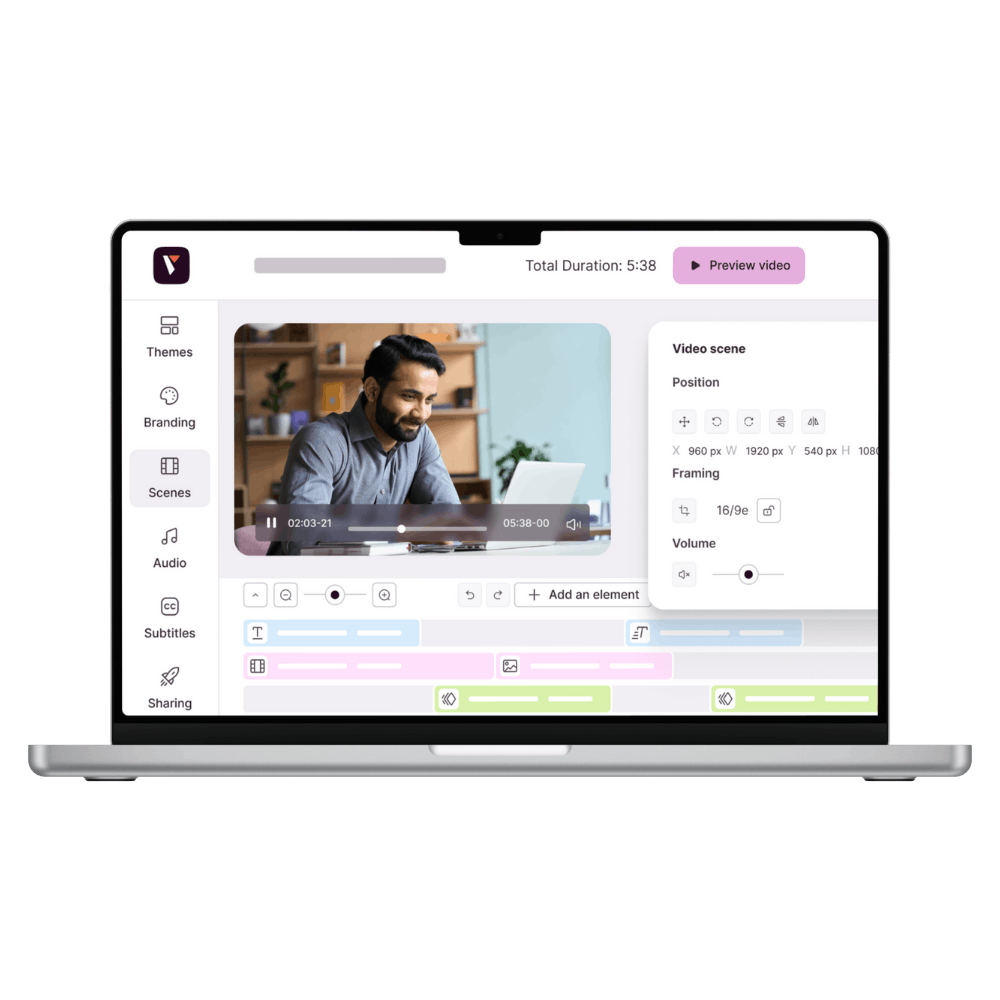
Pitchy isn't just a video editing tool like any other. It's designed for people who have never used editing software before. People who look for tutorials on YouTube and think, "This is too complicated for me" or "I'd need a whole training course just to understand it." With the right tool, your ideas don't stay in a notebook. They quickly become reality. Pitchy simplifies video creation, no matter what your job is: HR, marketer, trainer, communications manager...
All you need to know is how to use a computer to create professional videos.
You already have enough to do. No need to spend three days figuring out a timeline or transition effects. Pitchy saves you time, gives you autonomy, and peace of mind. That way, you can focus on what matters most: your message.
Vyond: create animated videos to tell stories
Vyond allows you to create animated videos for a final result focused on explanation and narration, such as stories told in a simple way. The tool includes animated characters and scenes, making it a popular choice for social media and online training tools for storytelling. Messages are conveyed through characters and visual scenarios, making it particularly well-suited for explaining ideas, clarifying messages, or making content more educational.
Which tool is easy to use from your first video?
Using a video editing tool shouldn't be an extra burden on the team or a waste of time. It should make the task easier and faster. Especially when you're not in the field and it's not your job.
Pitchy is the tool that guides you from the very first second
No need to panic when you see a complicated interface. No need to watch a three-hour tutorial before you can get started.
Once you're on the Pitchy platform, everything is clear and intuitive. You'll quickly understand where to click, what to change, and how to move forward, even if you've never created a video before.
The interface is designed to get straight to the point. The elements are well distributed, clear, and easy to understand. You're not faced with a multitude of buttons or technical settings. Each action is simple and natural, allowing you to focus on creating without having to think twice.
Pitchy offers support tailored to the needs and uses of each user. The platform is designed to guide users through the process according to their desired objective, making it easy to get started and get up and running quickly.
Vyond: an animation tool with a technical start
In contrast to Pitchy, Vyond requires more time to get used to when you first start using it. The interface is based on animation and staging principles that you need to understand before you begin. Creation involves choosing characters, scenes, and movements, which may require some adjustments at first.
You need to know the concept, structure, and storyline of the video before you start. This may be less straightforward for someone who has never worked with video creation tools before. This tool is more suited to those who are willing to spend time learning how to use it.
Which tool best fits the needs of corporate teams?
Professional use doesn’t have to mean complicated use. The main thing to remember is not just to create a video, but to produce the right content, in the right format, at the right pace, while facilitating collaboration between multiple users.
On this point, 🔀 Pitchy and Vyond do not exactly meet the same needs.
Pitchy helps team members become confident video creators for their companies, clients, and social media channels.
The platform is designed for collaborative, structured, and efficient production, tailored to the needs of marketing, HR, external and internal communications teams.
- Real-time collaboration: multiple people can work on the same project without the need for back-and-forth communication.
- Integrated graphic charter: you define your visual identity (logo, colors, fonts), which is integrated into each video.
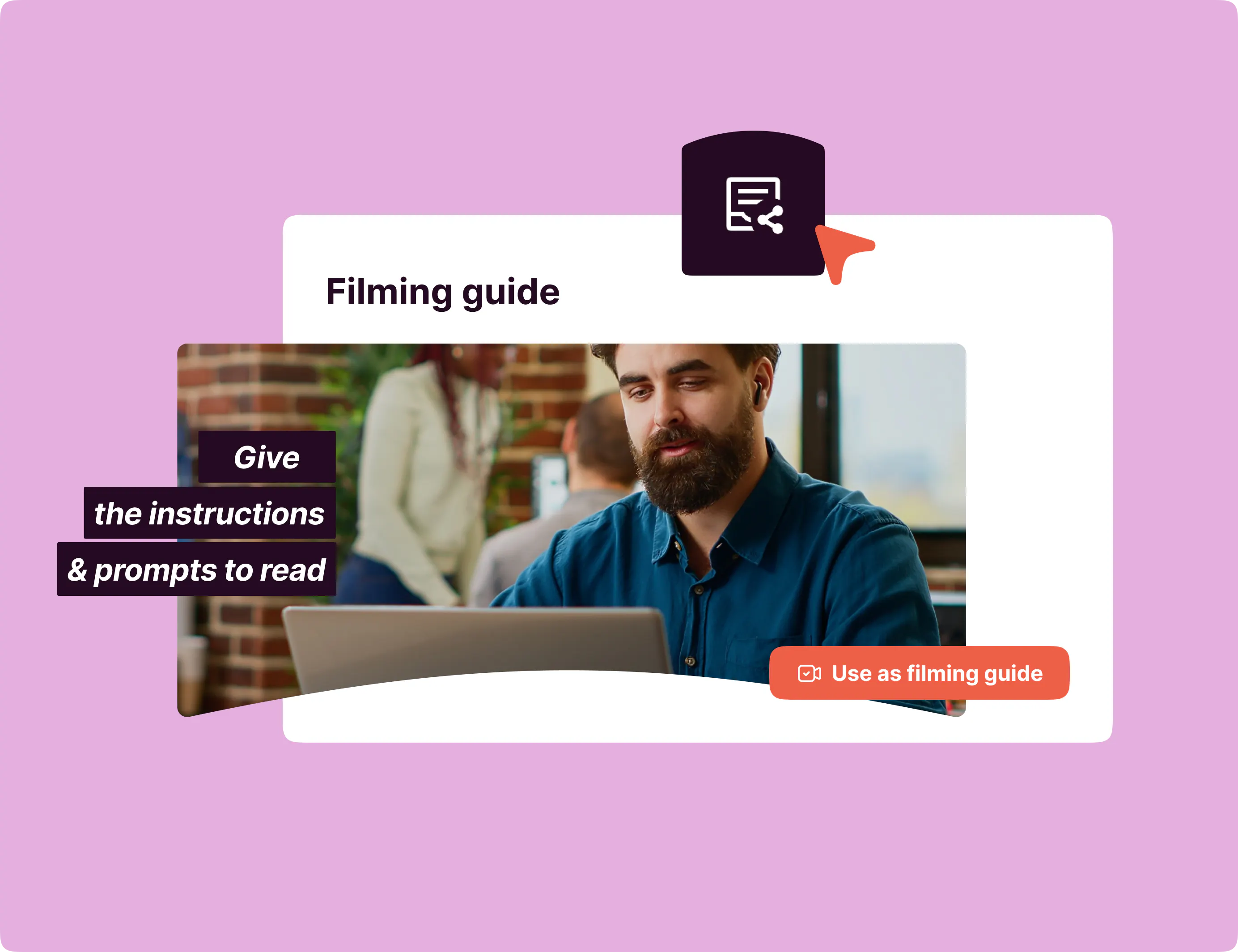
- Filming guides: field teams know exactly what to film thanks to clear instructions.
- Large-scale production: you can create unlimited videos for all your needs (HR, marketing, training, internal and external communication) with the same ease.
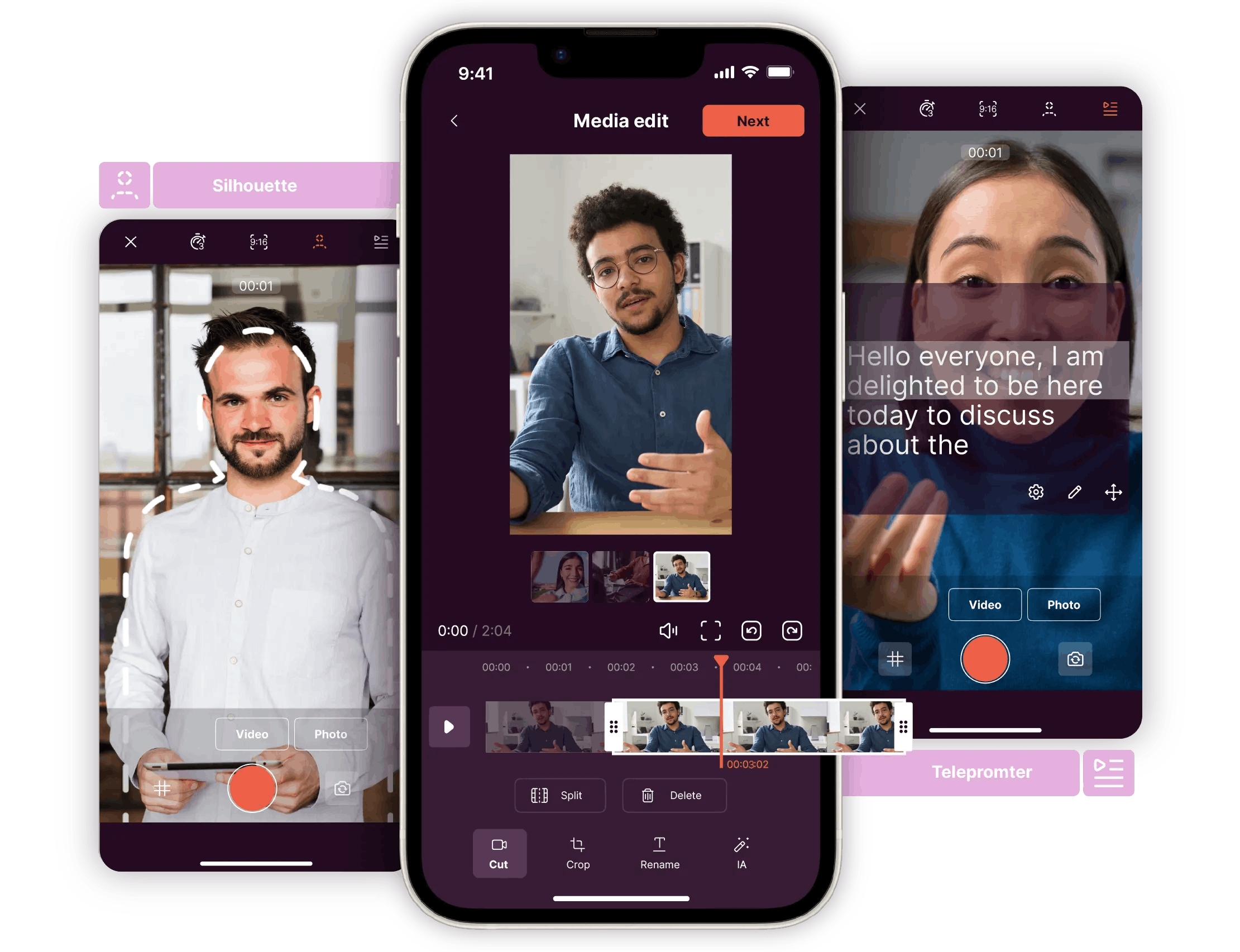
- Integrated workflow: film on your mobile with the Pitchy app, edit on the web, everything is synchronized and accessible to the whole team.
Vyond is designed mainly for solo video creation or limited collaboration. You create your animations, export your video, and then share it. Although the tool offers sharing and commenting features, it does not support real-time simultaneous editing, which can be a limitation for teams used to collaborative tools.
When the goal is to produce videos at scale, or when a project requires multiple rounds of feedback, adjustments, or approvals before publishing, this can slow down the overall production process.
Pitchy: a platform to suit all business needs
Pitchy is designed to understand the specific needs of the market and its users, so they can get the best experience on the platform, whatever their profession or level of video expertise. The platform is not limited to a specific type of content or format: it offers a structured framework, ready-to-use resources, and smart tools to enable teams to easily produce videos tailored to their objectives.
With a complete ecosystem of advanced, AI-powered features, the platform makes it possible to create a wide range of projects, both for training and for marketing use cases. It also allows videos to be distributed on social media and to the general public, such as on LinkedIn or YouTube.
HR teams can create videos for recruitment, onboarding, and internal communication. Marketing teams can produce presentation videos, campaign videos, or content to promote products and services. Trainers can design clear and well-structured educational content. Communications teams can share messages tailored to their audiences.
- +800 ready-to-use templates: professional templates to get you started quickly
- +150 visual themes: a variety of styles suited to every type of content
- +1,500 animations: to bring your videos to life
- Integrated media library: +4 million royalty-free photos and videos
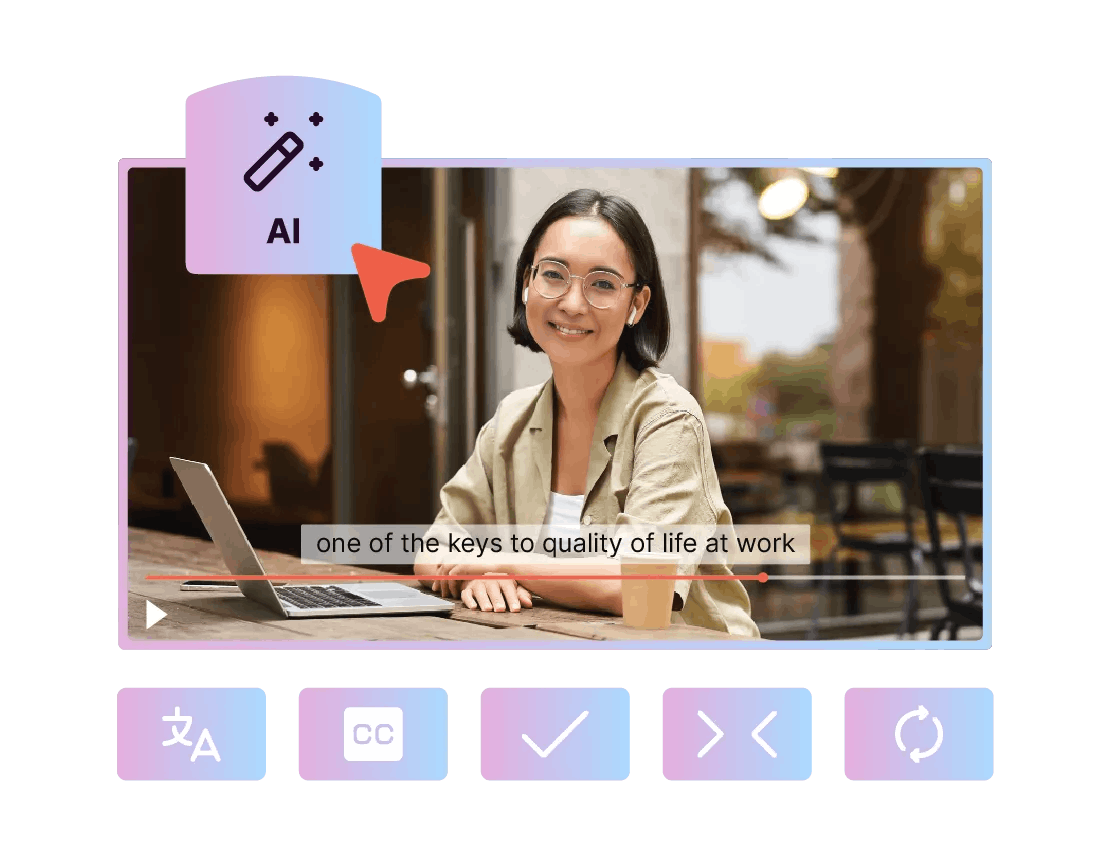
- Subtitles Generator: let AI generate your subtitles
- Video translation into 48 languages: to distribute your content internationally
- AI voice Generator: to transform your text and numbers into realistic voices
- Automation of repetitive tasks: save time on creation and editing
- An AI assistant for your scripts : you bring the idea, the assistant helps you shape the rest.
- A highly secure platform: to protect and control your projects
Pitchy vs Vyond feature comparison table
| Business features | Pitchy | Vyond |
|---|---|---|
| Corporate videos | ✔️ | ❌ |
| Real interviews & testimonials | ✔️ | ❌ |
| HR videos (onboarding, employer branding) | ✔️ | ❌ |
| Business-oriented templates | ✔️ | ❌ |
| Import of real videos (employees) | ✔️ | ❌ |
| Fast production without complex animation | ✔️ | ❌ |
| Automatic subtitles | ✔️ | ✔️ |
| AI – script generation | ✔️ | ✔️ |
| AI – text-to-video | ✔️ | ✔️ |
| Automatic translation | ✔️ | ✔️ |
Pitchy vs. Vyond: Which one should you choose for your corporate videos?
👉 Choose Pitchy: if your objective is to create professional videos quickly and without technical skills. Pitchy is particularly suitable for companies that produce videos for a variety of uses, such as internal communication, HR, marketing, or training. The platform facilitates teamwork and ensures visual consistency thanks to advanced features.
👉 Choose Vyond: if your goal is to create animated videos based on storytelling and staging. Vyond is for people who want to build scripted content with detailed characters and animations and are willing to spend more time on design. The tool is especially good for explainer, educational, or narrative videos, which are often made by one person.
Writer’s Note
📝 After comparing the use cases, ease of use, features, and limitations of each platform, Pitchy appears to be the best solution for users who want to produce videos regularly, quickly, and as a team, without relying on video experts. Its ease of use, numerous templates, and features make it a very effective tool for everyday professional video production.
Vyond, on the other hand, remains a solution for more specific uses, particularly when the main objective is to tell an animated story or explain a concept through characters and staging. However, its technical nature can be a limitation in a corporate production context, where speed and collaboration are often priorities.
Want to produce more videos in the shortest time possible? And with zero editing skills?
Ask for your demo of Pitchy software!

Resources
Related resources


Learn how client onboarding videos build trust, simplify communication, and turn new clients into loyal partners with Pitchy

Enhance your content with professional video editing tips for your company. With our video editing tool for companies, create powerful videos to boost your communication.

Discover how employer branding videos can transform your recruitment strategy and attract top talent with real-world examples and tips.